Everything Alira does
A detailed walkthrough of every capability across Alira’s three modules — Enable, Pro, and Ultimate. See exactly what your users will experience and what your IT team will control.
Access Portal
One clear, consistent place for every user to request access, track approvals and manage their entitlements — built on Microsoft Entra without the complexity. Replaces fragmented MyAccess, MyApps and PIM portals with a single, branded experience.
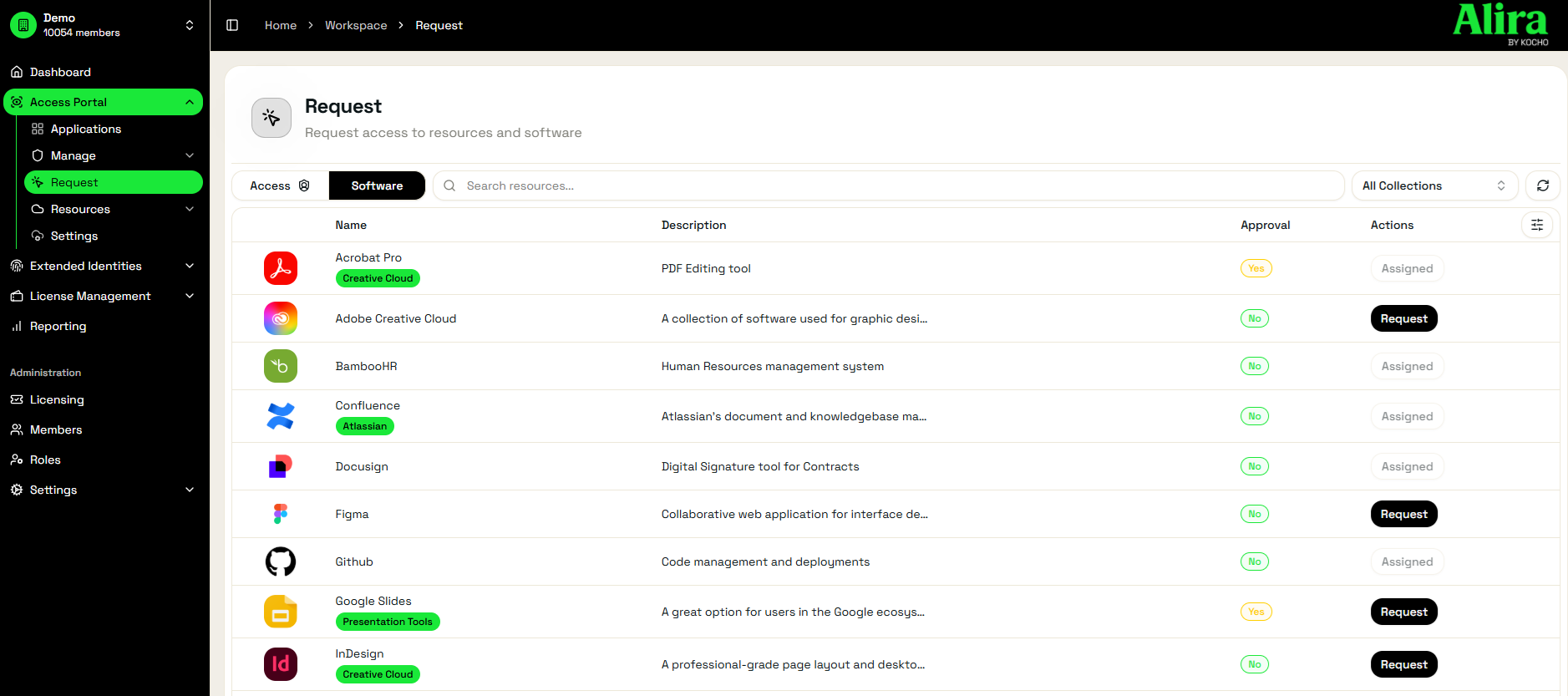
Request anything in seconds — no ticket needed
Users browse and request access to apps, PIM Groups, PIM Roles and Access Packages from one place. No service desk ticket. No chasing. Just a clear, searchable catalogue of everything they’re eligible to request.
- Search and filter across all requestable resources
- Submit requests with justification and business context
- Track request status in real time — no chasing required
- PIM Group, PIM Role and Access Package requests all unified
- Time-limited access requests with automatic expiry
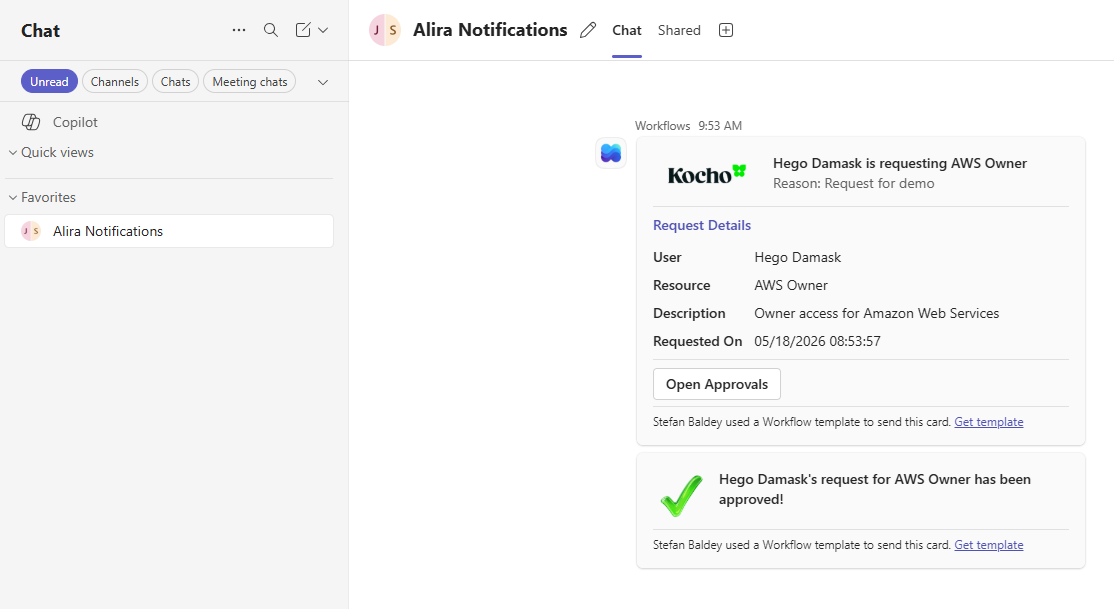
Approvals where your team already works
Approval notifications are delivered in real time to Microsoft Teams, Slack or email — wherever your approvers are. One click to approve or deny, with full context provided inline.
- Adaptive Card notifications in Microsoft Teams
- Block Kit notifications in Slack
- Configurable approval chains — manager, delegated or group-owner
- All pending approvals in a single unified inbox
- Full request context and justification visible before approving
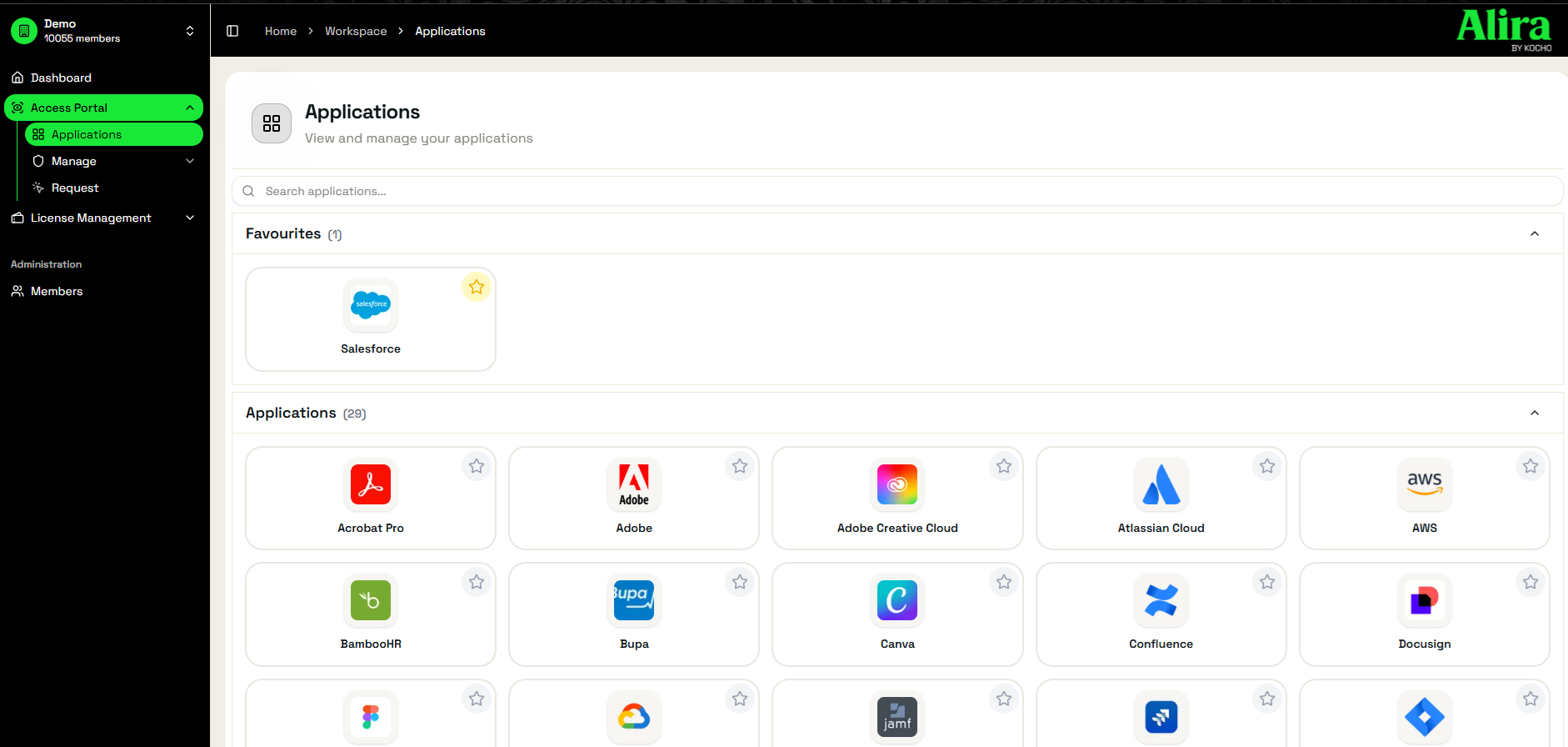
Every app your users have access to, in one place
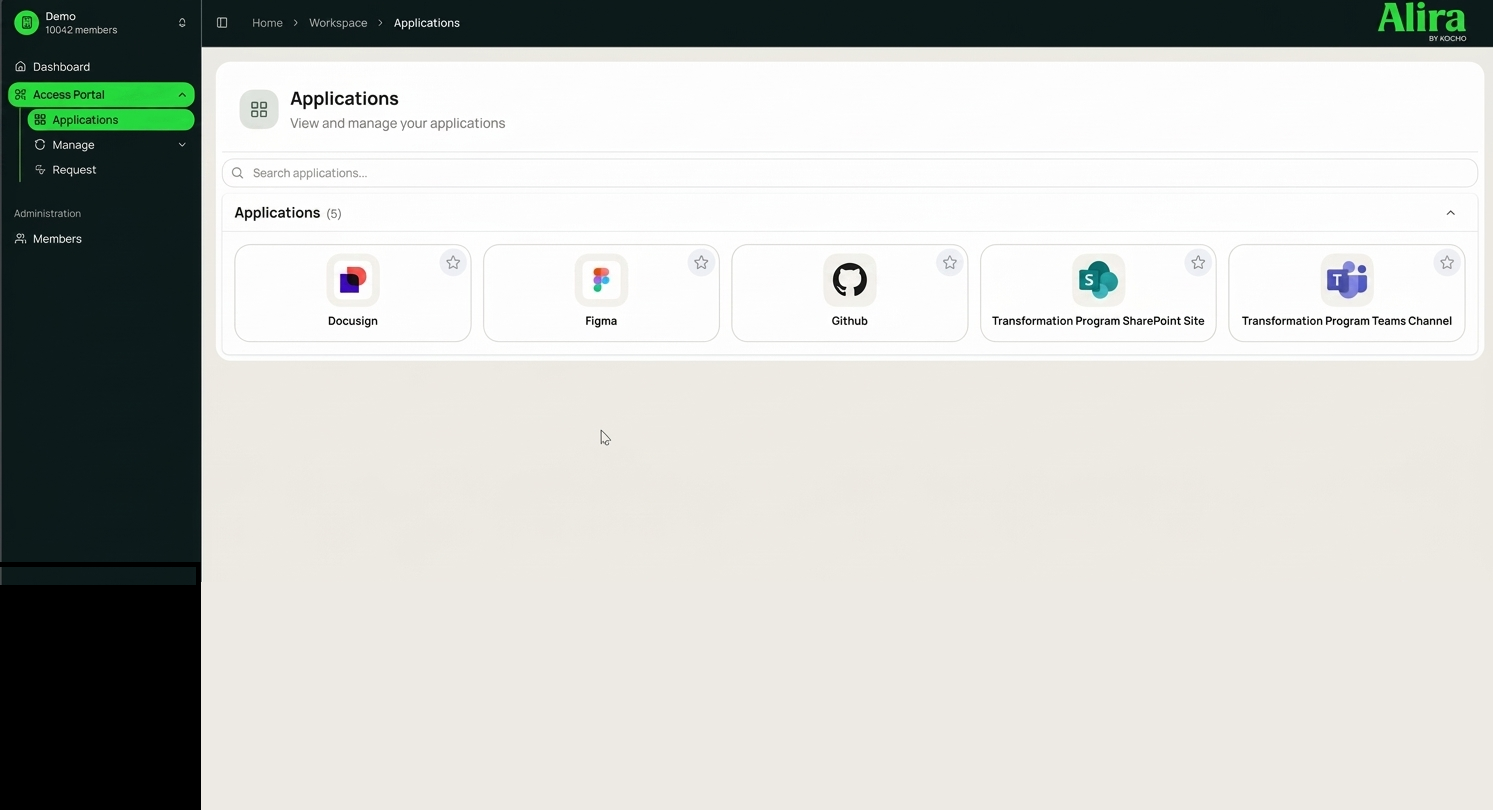
The Applications tab surfaces every Enterprise App the user is assigned to — replacing Microsoft’s MyApps portal with a faster, better-branded experience. Users can mark favourites, search instantly, and launch apps directly.
- All assigned Enterprise Apps pulled automatically from Entra
- Search and favourites for fast app launch
- Supports Alira Enable pre-staged apps for non-integrated applications
- Leaver detection flags applications requiring manual offboarding
- Fully branded to match your organisation’s identity
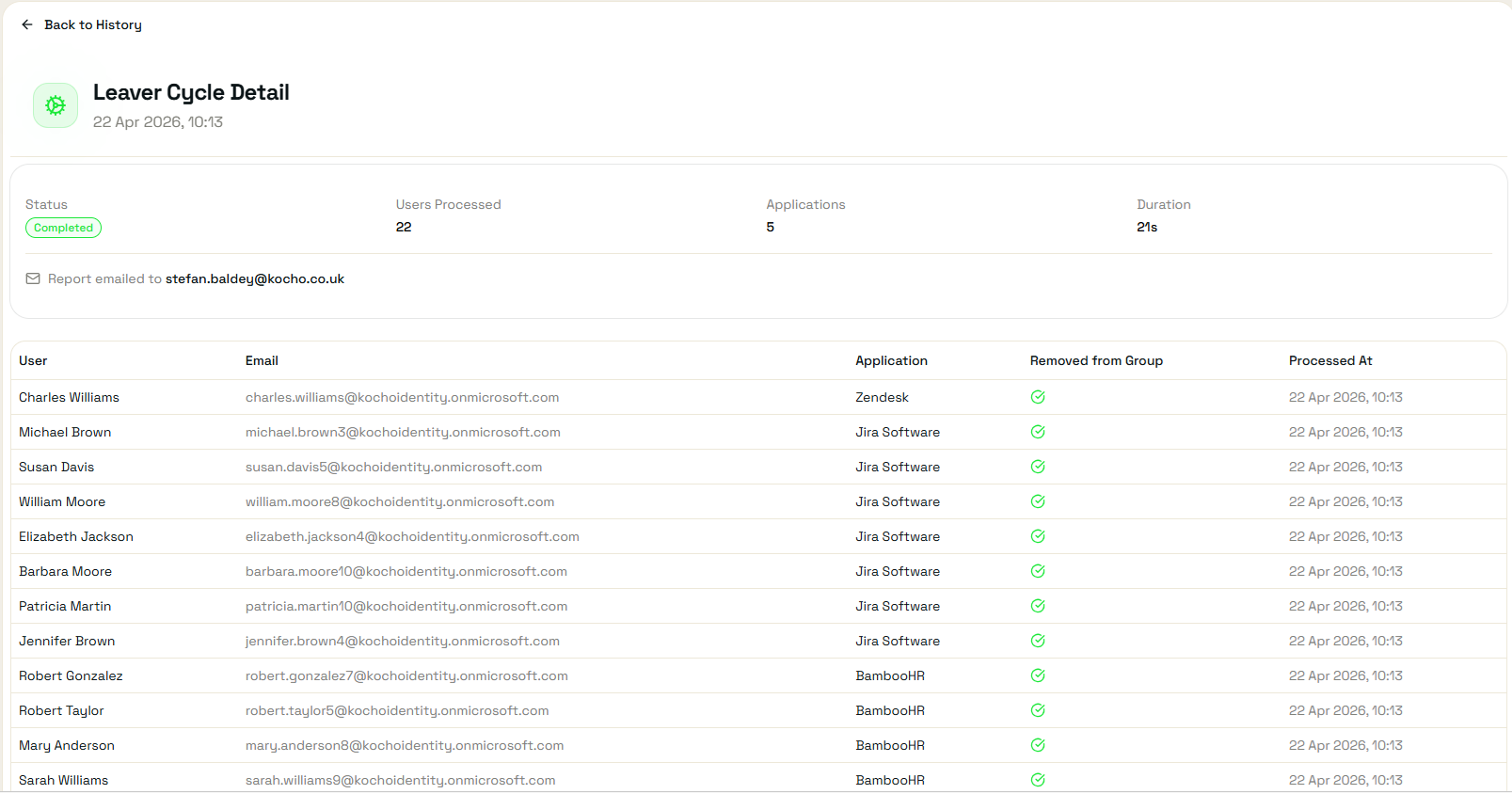
Know exactly what to clean up when someone leaves
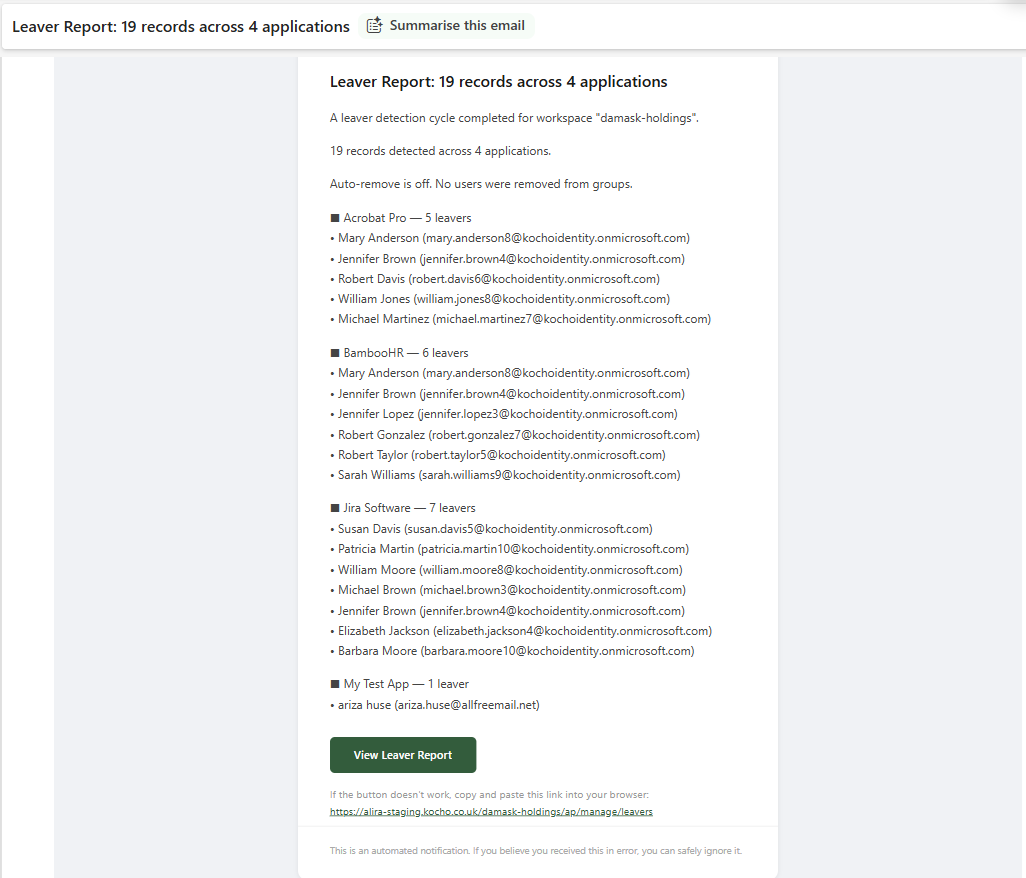
Microsoft Entra integrates with some applications automatically — but hundreds of others require manual intervention to revoke access when a user is disabled. Without visibility of which apps need human action, leavers stay active in systems that IT doesn’t even know about.
Alira solves this by letting you tag every Enterprise Application with its provisioning type: Manual (add and remove by hand), JIT (automated on, manual off), SCIM (fully automated), or None. When a user is disabled in Entra, Alira automatically identifies every Manual and JIT application they held and sends a Leaver Report — giving IT a precise checklist of what still needs to be done.
- Tags every Enterprise App with provisioning type — Manual, JIT, SCIM, or None
- Leaver Report triggered automatically when a user is disabled in Entra
- Shows exactly which applications require manual offboarding action
- Delivered via email with a full list of affected users and applications
- Reduces offboarding risk and cost — nothing falls through the gaps
- Full cycle history available — view past leaver reports and what was processed
Fully branded to your organisation — zero development
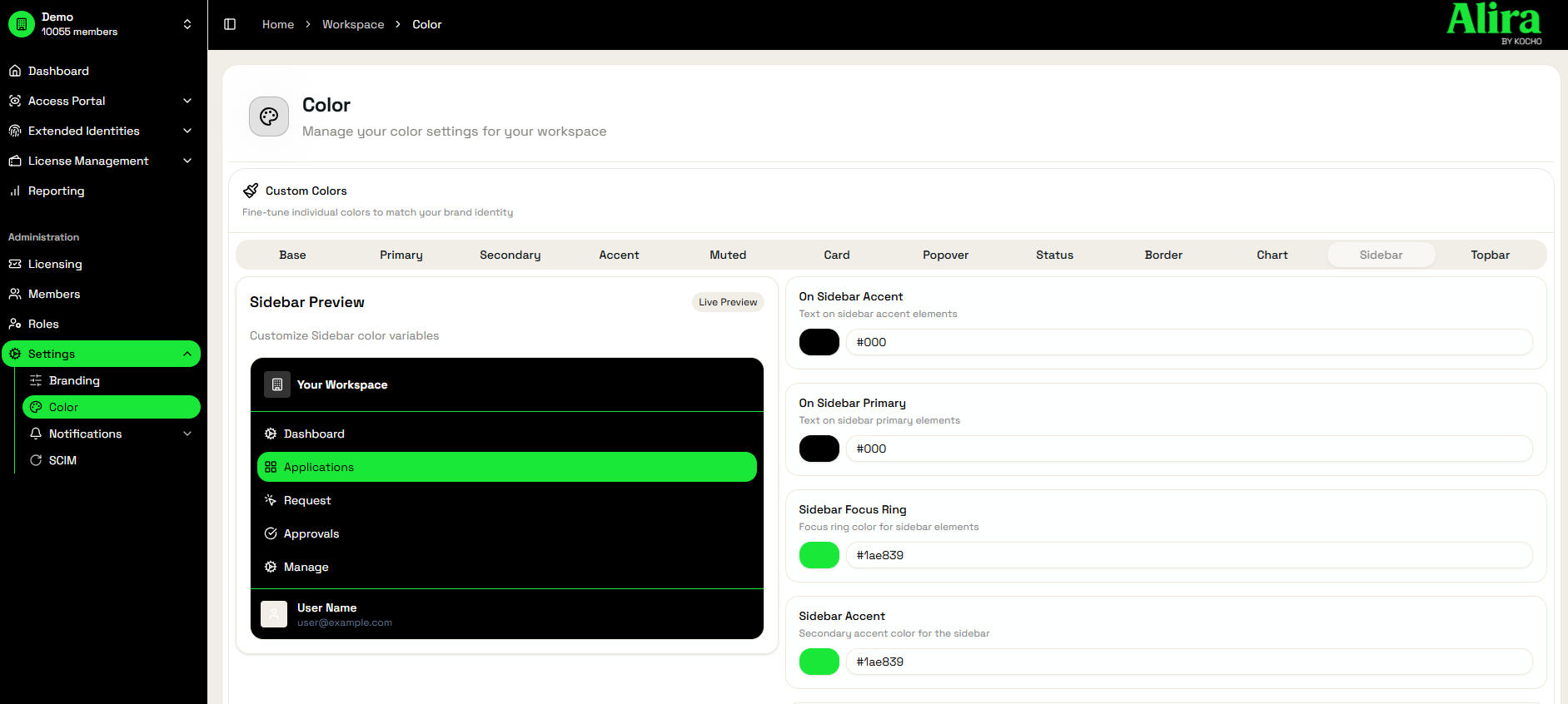
Alira is white-labelled out of the box. Customise the portal with your logo, colours and domain. Users see your brand, not ours — building trust and driving adoption from day one.
- Custom logo, primary colour and background
- White-label email notifications
- Custom role names and labels within the portal
Access insights — out of the box, no configuration
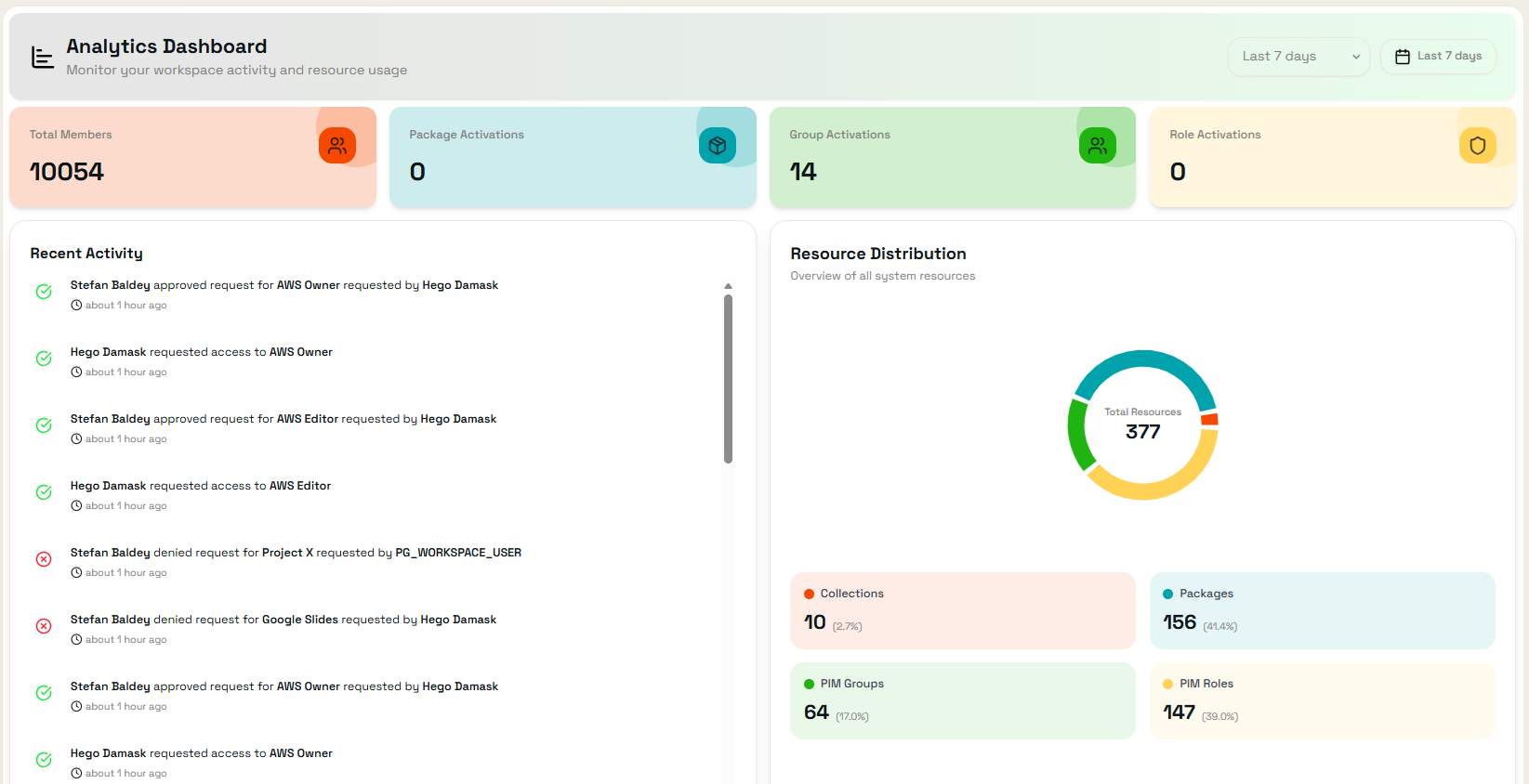
Pre-configured dashboards surface key metrics on access patterns, request volumes and approval times. No specialist expertise required — meaningful data is available from day one.
- Request volume and approval rate trends
- Holistic resource distribution of your Entra resources
- User access history and entitlement overview
- Event log for all administrative actions

Manage > Access
Group owners manage active and eligible members of their PIM groups directly in Alira — no PIM portal needed.
Manage > My Requests
Users see all their past and pending requests in one place — with full status visibility and audit trail.

Notification Engine
Configurable webhook and email events for any access lifecycle action — request, approval, denial, expiry.
Role-Based Access Control
Define custom roles within Alira to control who can see and action each feature — scoped to your org structure.
Licence Portal
Centralised visibility and governance across your entire Microsoft 365 and SaaS licence estate. Alira Pro operates as a group-orchestrated governance layer — surfacing cost, waste and ownership in a way native Microsoft tools never have.
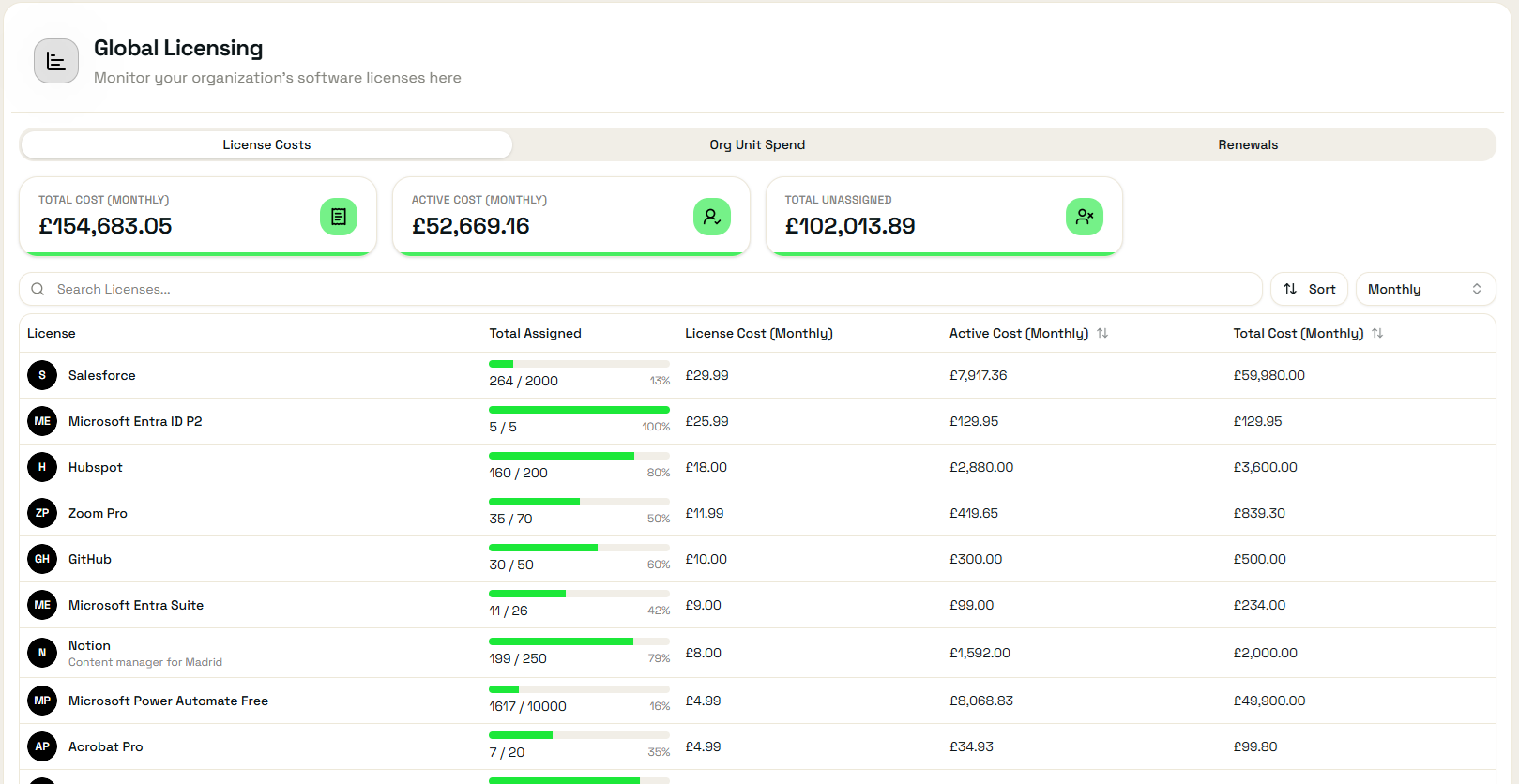
See your entire licence estate at a glance
The Global Licence Dashboard shows total monthly spend, licence allocation and renewal dates across every supported SKU. Drill down to Organisation Unit level to see exactly where money is going — and where it isn’t.
- Total licence cost and allocation across all Microsoft SKUs
- Renewal date tracking per licence type
- Drill-down to OU, department and individual user
- BYOL support — any SaaS licence managed via an Entra group
Find and fix wasted licence spend seamlessly
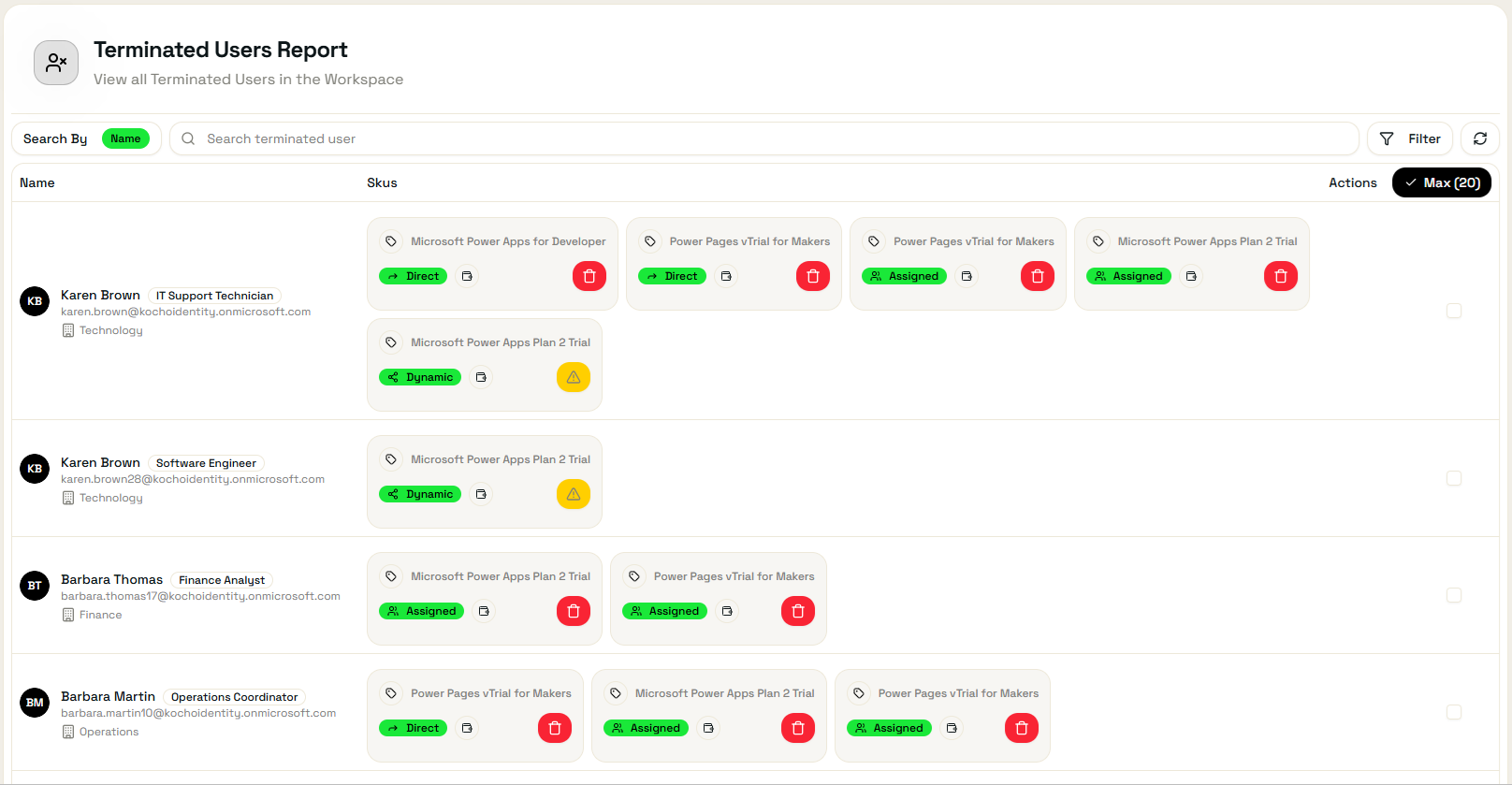
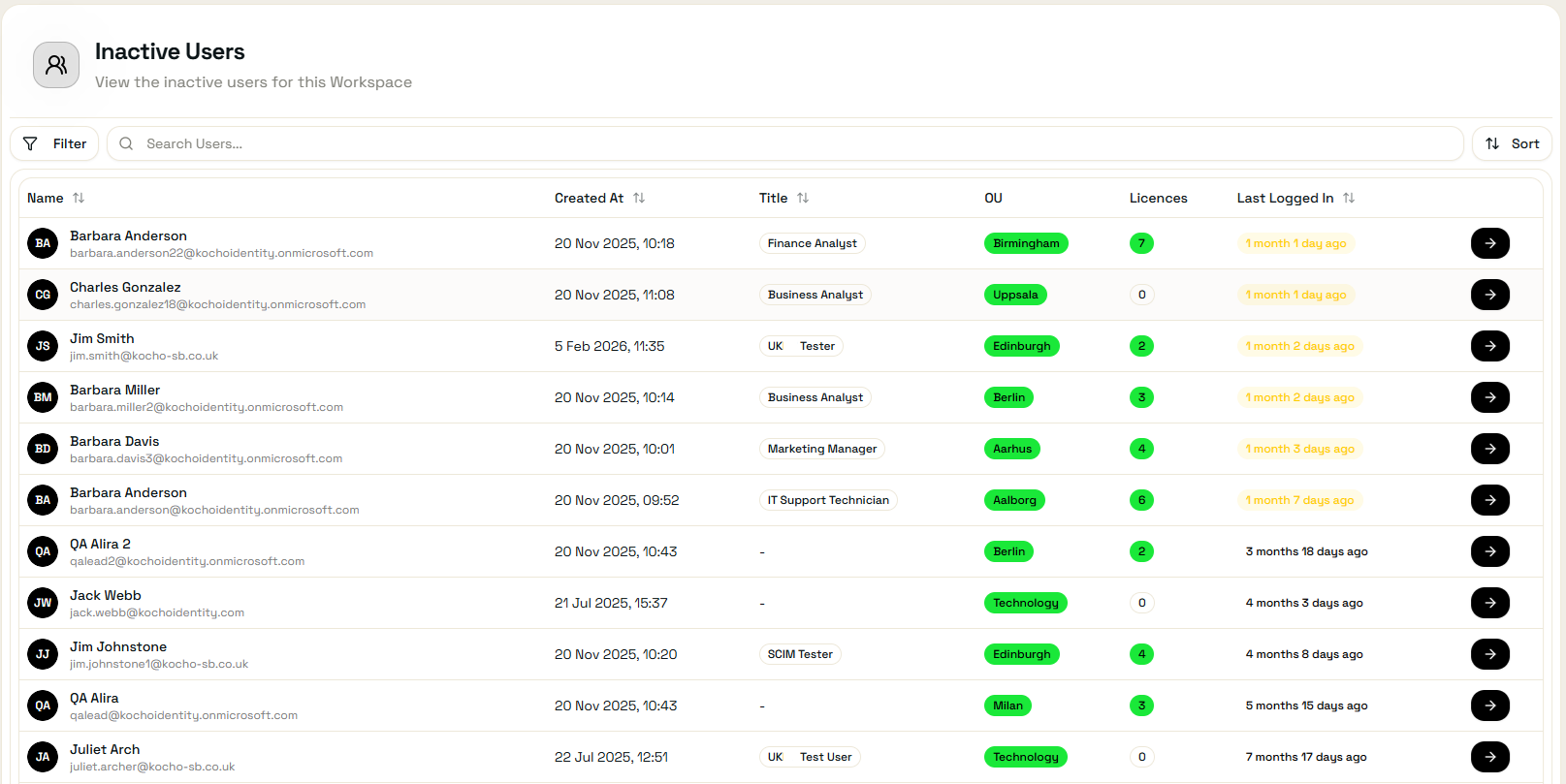
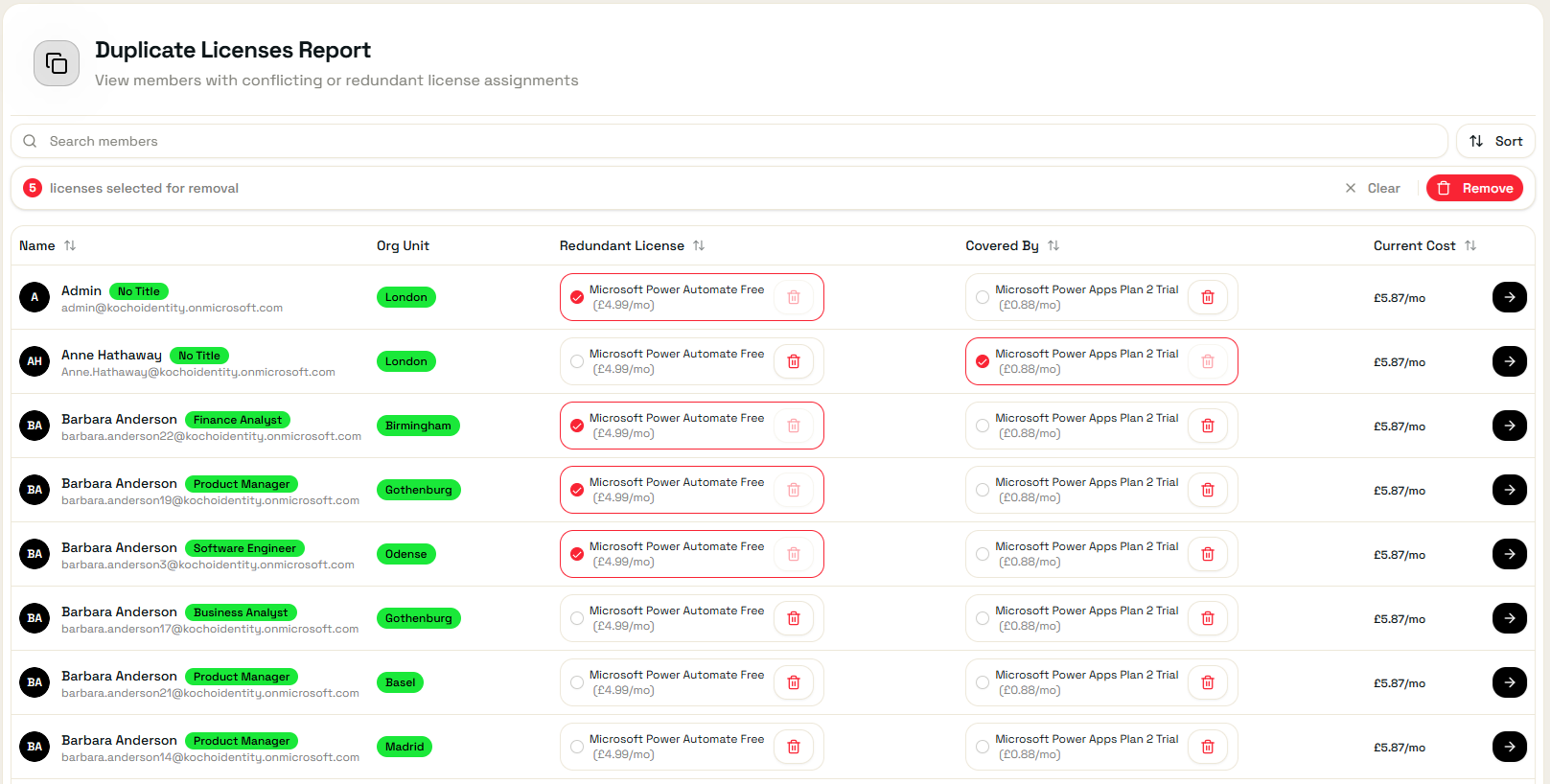
Licence bleed is silent, expensive and almost impossible to detect with native Microsoft tools. Alira Pro surfaces four categories of waste that together account for millions in unnecessary spend across UK organisations.
- Terminated Users — licences still assigned to disabled accounts post-departure
- Inactive Users — licences held by users who haven’t logged in recently
- Duplicate Licences — conflicting SKUs assigned concurrently (e.g. F3 + E3)
- Inactive Co-pilot Licences — licences held by active users who haven’t used Co-Pilot recently
- One-click licence removal directly from the report
- Estimated monthly saving surfaced per category
Governance broken down to every part of your organisation
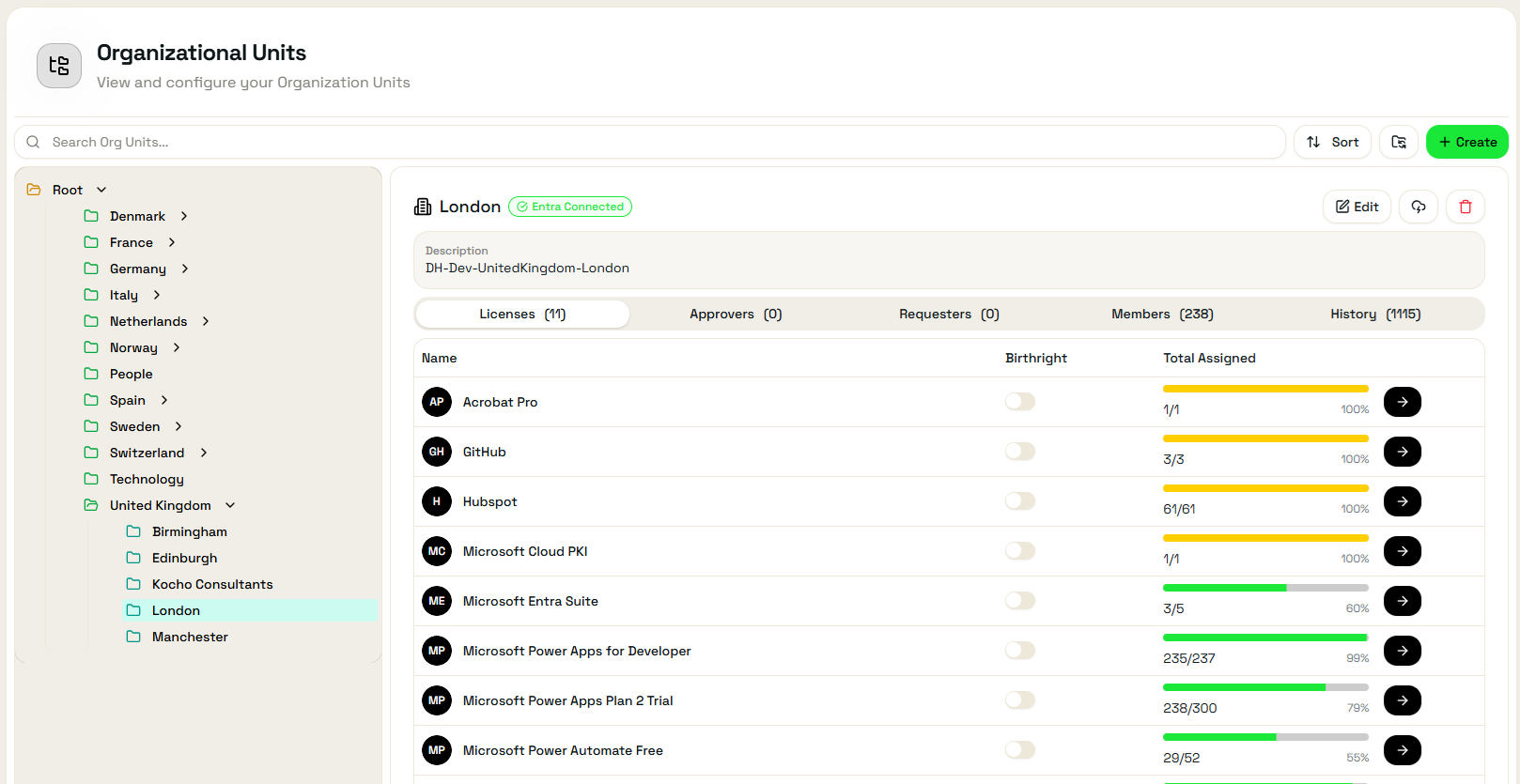
Create an OU structure that mirrors your organisation. Set licence limits per OU, assign delegated requestors and approvers, and automatically sync members via Dynamic Groups in Entra.
- Flexible OU hierarchy — team, department, region, cost centre
- Dynamic Group sync via Entra ID P1 — members auto-populate
- Per-OU licence limits with approval workflows when exceeded
- Delegated OU managers — no central IT bottleneck
- Cost visibility and allocation per OU on the dashboard
Self-service licence allocation with built-in governance
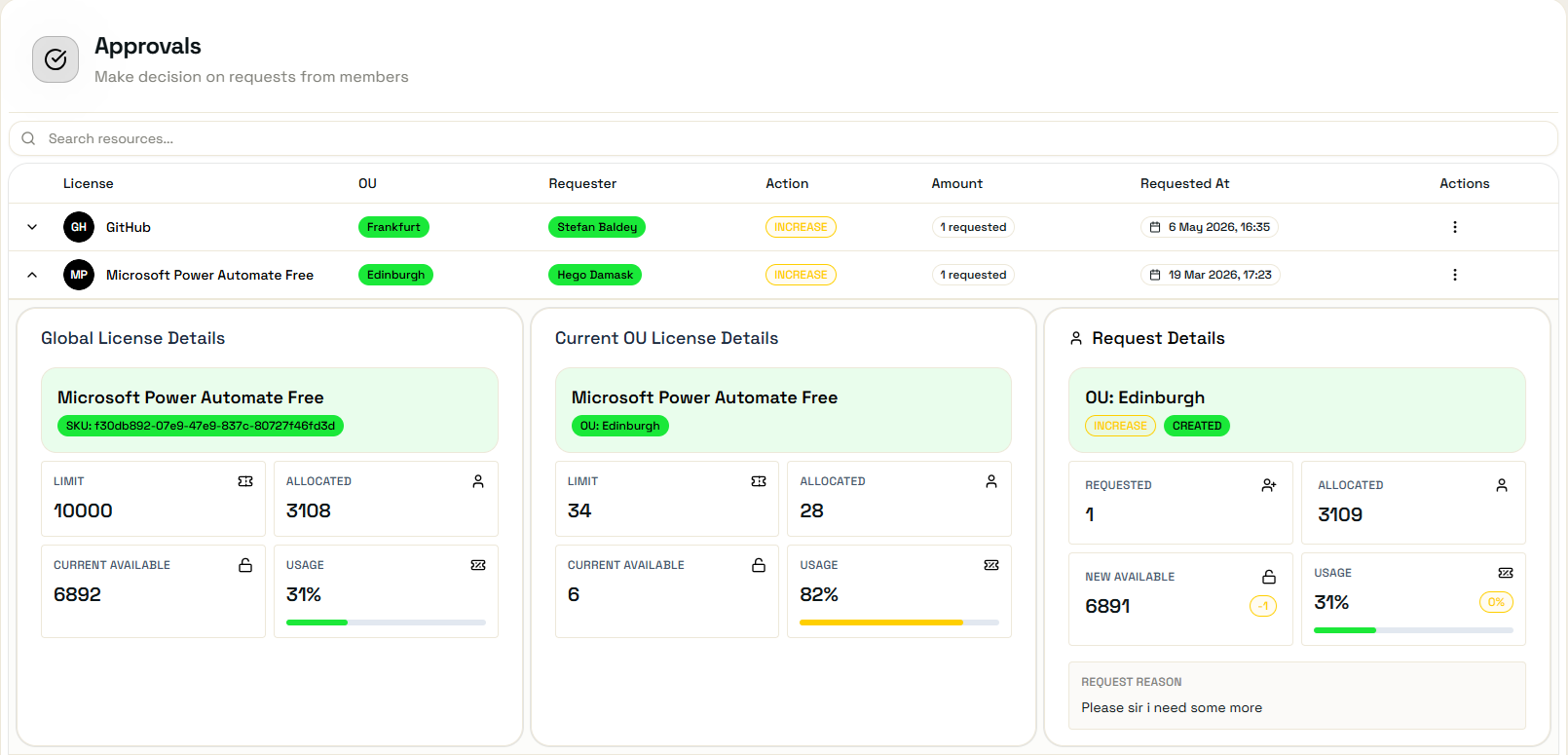
Users and OU managers can request additional licences through the same familiar Alira interface. Requests are routed to the appropriate approver, with limits enforced automatically — no manual intervention needed.
- Request additional licence allocation for an OU or individual
- Approval routing based on OU structure and limits
- Full approval and event log for audit and compliance
- Automatic Entra group updates on approval

Renewal Tracking
See upcoming renewal dates for every licence SKU so you can renegotiate or release licences before they auto-renew.

Cost Insight
View current licence spend based on current headcount — across every OU simultaneously.

BYOL — Bring Your Own Licence
Any SaaS licence managed through an Entra ID group can be surfaced in Alira Pro — not just Microsoft products.
Event Log
Every licence assignment, removal and approval is tracked in a full administrative audit log within the Licence Portal.
Extended Identities
A structured, scalable approach to onboarding and governing guest users, contractors, partners and non-HR accounts within Microsoft Entra ID. Extended Identities removes the governance gap that most organisations have for anyone who isn’t a full employee.
Zero-touch guest onboarding — from invite to active in minutes
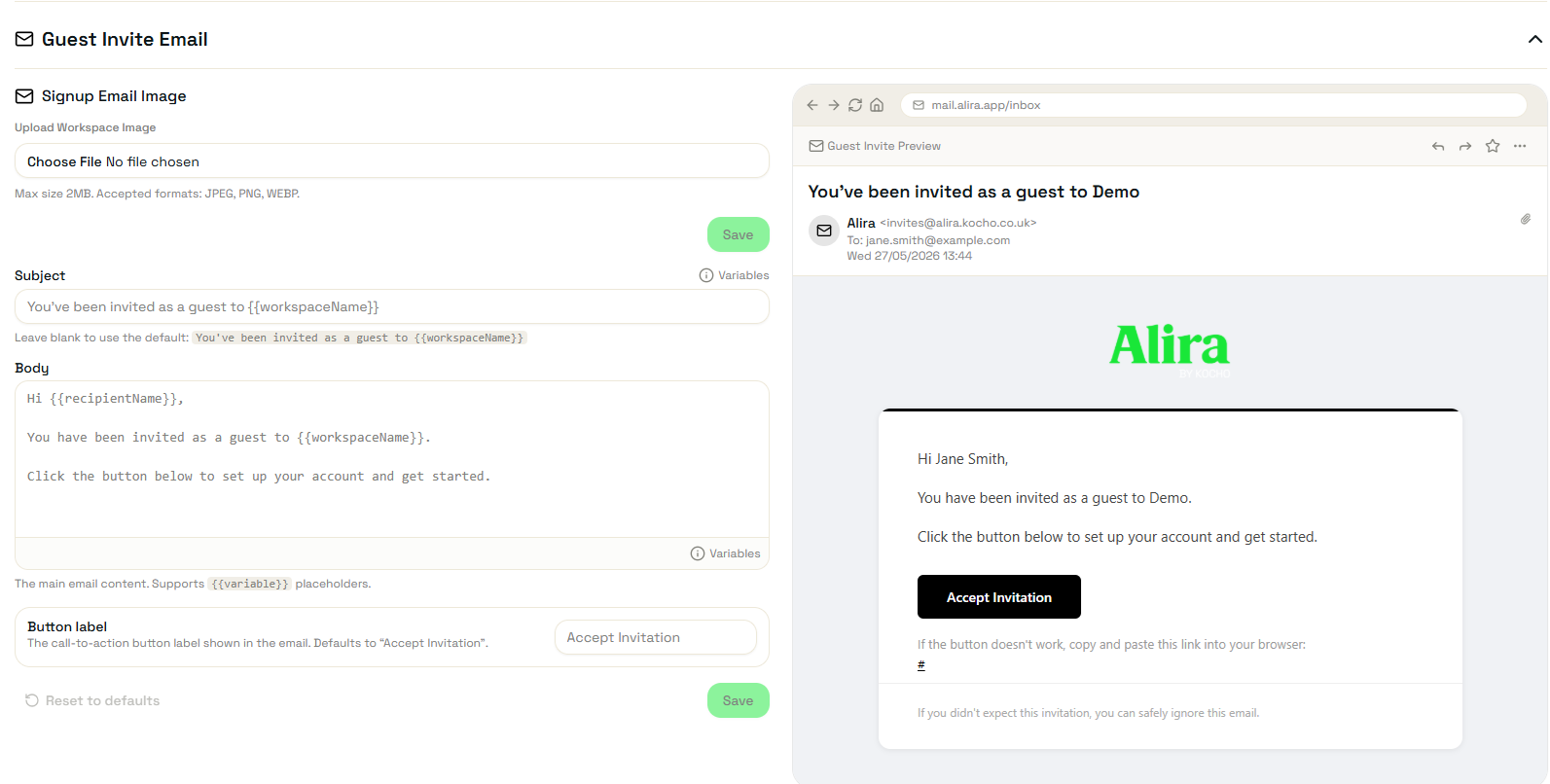
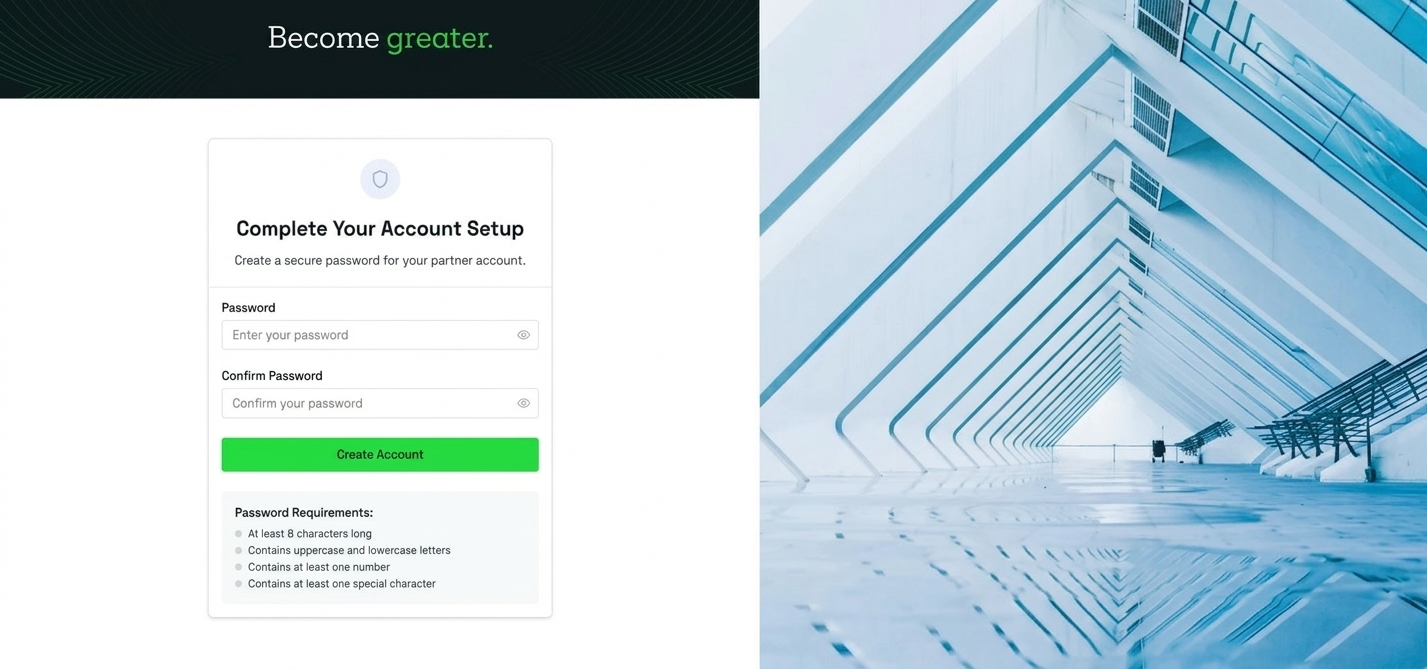
Guests receive a branded invitation link. They activate their account through a guided, secure flow — and are immediately provisioned with the access they need for their role. No IT involvement required after the initial setup.
- Branded invitation experience — your identity, not Microsoft’s
- Secure activation link with defined expiry
- Automatic provisioning on completion based on project assignment
- Internal guest accounts licensed and governed as standard Entra users
- Full onboarding audit trail per guest
Context-based access — guests get exactly what they need
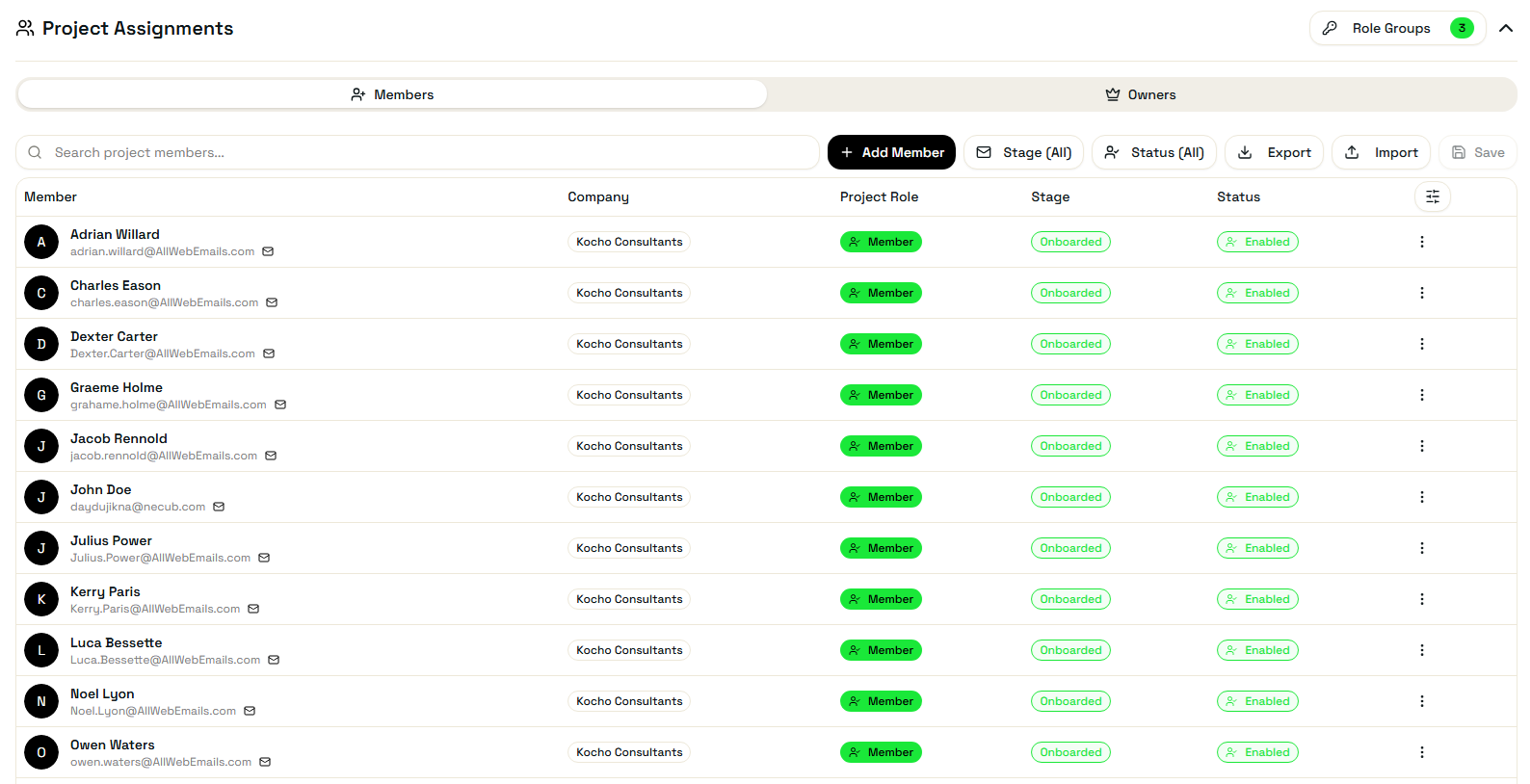
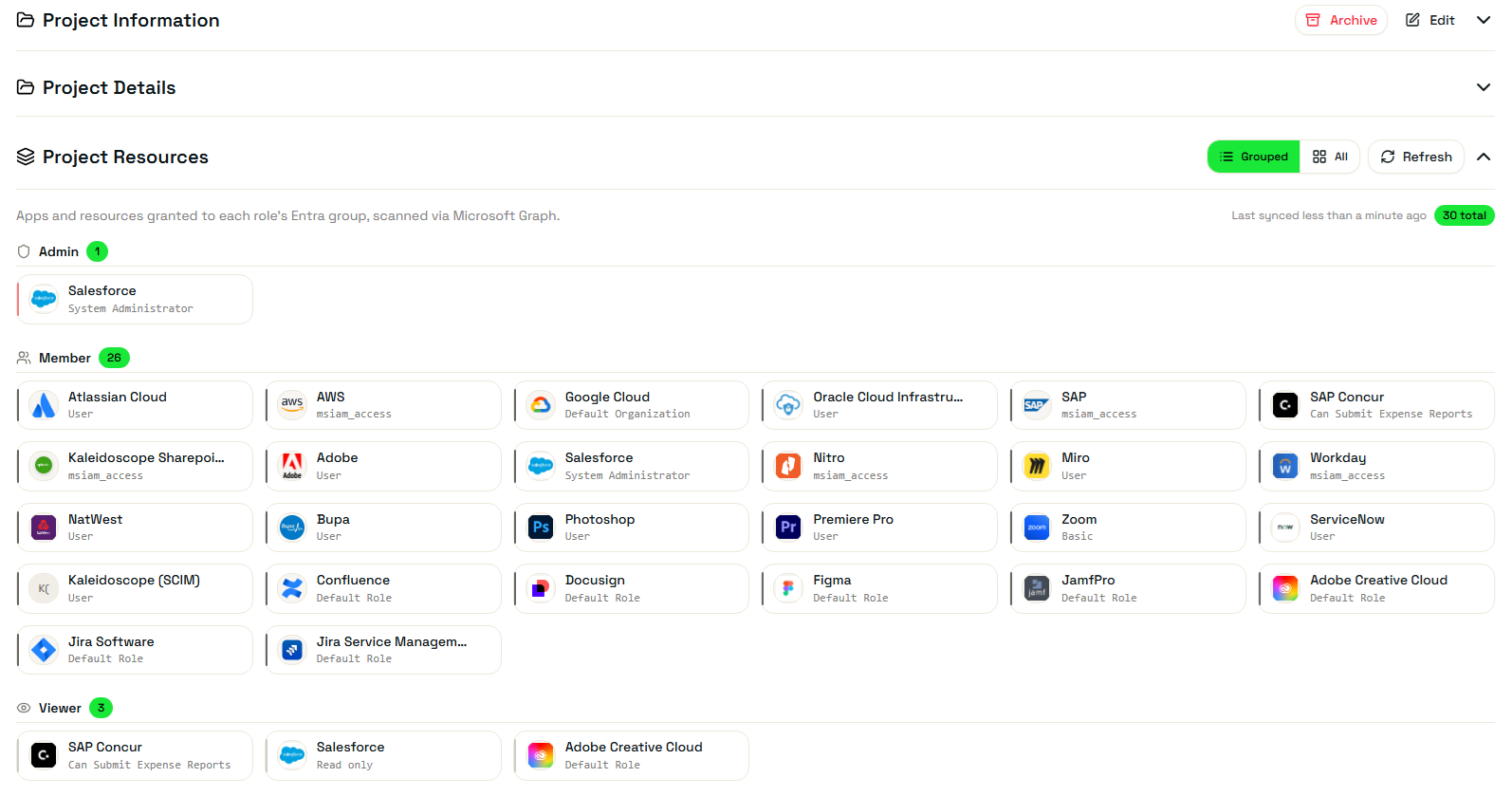
Guests are assigned to Projects — attribute-based containers that map to any Entra-connected resource. As guests are assigned to a project, their access to the required applications and groups is provisioned automatically.
- Projects map to any Entra-integrated resource
- Access provisioned automatically on project assignment
- Multiple projects per guest — scoped to their engagement
- Dynamic Groups (P1) used to auto-populate project membership
- Access removed automatically when a guest leaves a project
Delegate ownership without losing central control
Guests are grouped into Companies — logical entities that represent a partner, contractor pool or external organisation. Each company has delegated requesters and approvers, so business owners manage their own guests while IT maintains oversight.
- Companies group guests by organisation or engagement type
- Delegated requesters — business stakeholders initiate onboarding
- Delegated approvers — remove the IT bottleneck from guest access
- Centralised offboarding — remove a guest from all projects in one action
- Full Entra ID compliance — guests governed as standard identities
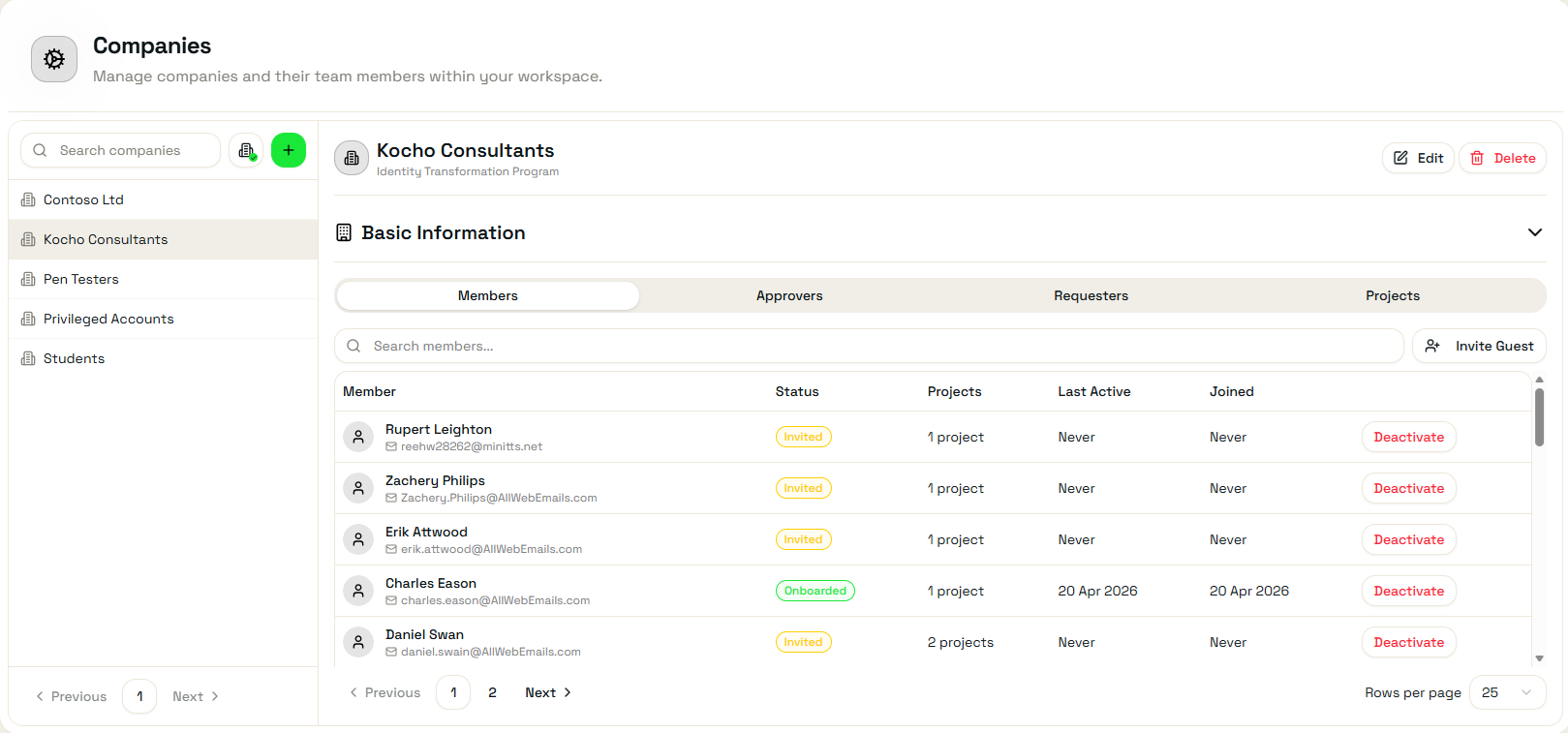
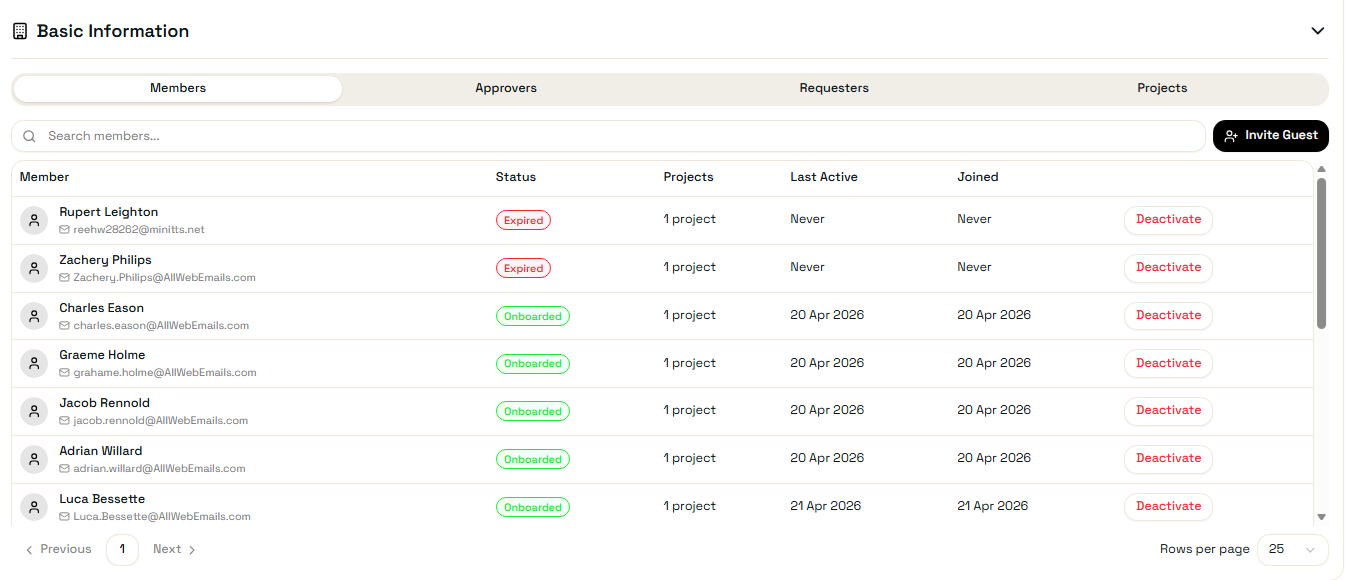
Full visibility of every guest — what they have access to and when they were last active
The Extended Identities dashboard gives IT a complete view of all active guest accounts, their company, projects and last activity. Access event logs are captured per guest for audit and compliance.
- Guest directory — company, projects and Entra account status
- Last logon and activity event tracking per guest
- Access event log — provisioning, project changes, offboarding
- Stale guest detection — identify accounts with no recent activity
Secure Invitation Links
Time-limited, branded activation links — guests can’t be impersonated and links expire after a configurable window.

Company Groups
Organise hundreds of guests into logical companies, each with their own delegated owners, without any IT overhead.

Instant Provisioning
From activation to fully provisioned — guests are ready to work in minutes, not days, with zero manual steps.

Attribute-Driven Access
Alira sets custom Entra attributes on guest accounts, driving Dynamic Group membership and downstream access automatically.
See Alira in action — your environment
Book a personalised demo with a Kocho identity consultant. We’ll show you exactly how Enable, Pro and Ultimate work in your specific Entra setup.